September 28, 2026
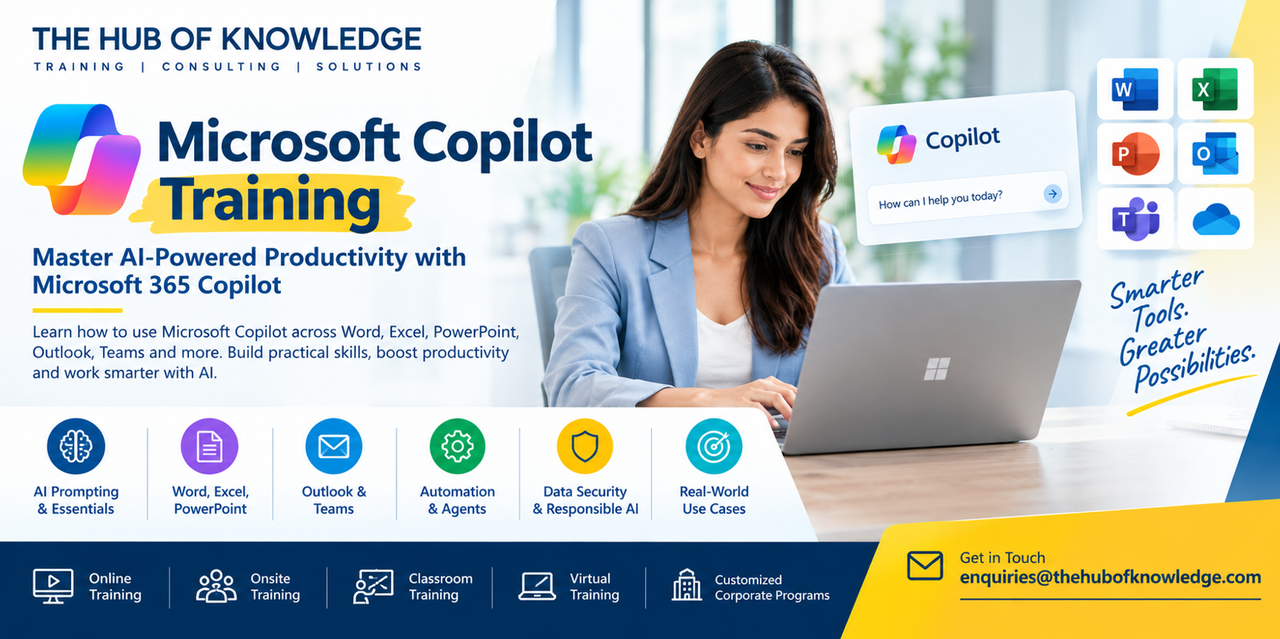
Microsoft Copilot Training
Artificial intelligence is becoming an important part of modern workplace productivity. Microsoft Copilot brings AI capabilities into the Microsoft ecosystem, helping professionals work with information, create content, analyze data, communicate, and complete everyday tasks more efficiently.
THE HUB OF KNOWLEDGE offers Microsoft Copilot Training designed to help professionals and organizations understand and apply Copilot in practical workplace scenarios.
The training can cover Microsoft Copilot fundamentals, prompt engineering, Microsoft 365 applications, AI-powered productivity, document and data analysis, collaboration, automation, AI agents, and responsible AI practices.
Microsoft's current learning resources cover Copilot across applications such as Word, Excel, PowerPoint, Outlook, Teams, OneDrive, SharePoint, and other Microsoft 365 services.
What Is Microsoft Copilot?
Microsoft Copilot is a family of AI-powered experiences designed to assist users with tasks such as asking questions, creating content, analyzing information, summarizing material, and completing work-related activities.
Microsoft Copilot Chat can provide an AI prompt-and-response experience, while Microsoft 365 Copilot can work with organizational information and Microsoft 365 applications depending on the user's licensing and configuration.
Because Copilot capabilities and licensing can change, the exact features available to a participant may depend on their Microsoft 365 subscription, organization configuration, and current Microsoft product version.
Why Learn Microsoft Copilot?
Organizations are increasingly exploring generative AI to improve productivity and support employees in their daily work.
Microsoft Copilot training can help professionals learn how to:
Microsoft's current training materials specifically include prompting, productivity across Microsoft 365 applications, Copilot Pages, agents, and practical exercises.
Microsoft Copilot Training at THE HUB OF KNOWLEDGE
THE HUB OF KNOWLEDGE provides professional technology and business training for individuals and organizations.
Our Microsoft Copilot Training can be customized according to the participant's role, industry, Microsoft 365 environment, and business requirements.
The training can include the following areas.
Participants begin by understanding:
Microsoft's foundational Copilot learning path includes generative AI concepts, responsible AI, prompting, and practical Copilot usage.
Participants learn how to:
Microsoft Learn currently describes Copilot Chat as an AI-powered assistant and introduces the distinction between web and work grounding.
Prompt engineering is an important component of effective Copilot usage.
Participants learn how to structure prompts by defining:
Microsoft's current Copilot training also teaches a four-element prompting framework based on context, goal, source, and expectations.
For example, rather than simply asking:
"Write an email."
a professional could provide the purpose, audience, background information, desired tone, and expected format.
This gives Copilot clearer instructions and makes it easier to review and refine the resulting content.
Microsoft Copilot for Word
Microsoft Copilot can assist with various document-related activities.
Training can cover how professionals can use Copilot to:
Microsoft's Copilot learning resources include Word-based workflows for finding action items and working with content.
Microsoft Copilot for Excel
Excel users can explore AI-assisted approaches to working with data.
Training may include:
Microsoft currently includes Excel data analysis as part of its Copilot productivity learning content.
Microsoft Copilot for PowerPoint
Copilot can support presentation-related workflows.
Participants can learn how to:
The exact capabilities available depend on the Copilot product, Microsoft 365 plan, and organizational configuration.
Microsoft Copilot for Outlook
Email is one of the most common areas where AI can support workplace productivity.
Microsoft Copilot training can cover:
Microsoft's current Copilot productivity training includes Outlook communication workflows.
Microsoft Copilot for Microsoft Teams
Teams users can explore Copilot-supported workflows around meetings and collaboration.
Potential training topics include:
The exact functionality depends on the Microsoft 365 environment and applicable licensing.
Microsoft Copilot for Business Productivity
Copilot training can help employees identify practical opportunities for AI across their daily workflows.
Human Resources
HR teams can explore AI-assisted workflows for:
Sales
Sales teams can explore:
Marketing
Marketing teams can use training scenarios around:
Finance
Finance professionals can explore:
Project Management
Project managers can use Copilot-related workflows for:
Operations
Operations teams can explore:
Microsoft Copilot Agents and Automation
Modern Copilot experiences increasingly include AI agents that can support more specialized or multi-step tasks.
Microsoft Learn currently provides training on AI agents, including how agents can assist with everyday tasks and how users can create or configure agents.
Training can introduce participants to:
Microsoft Copilot and Data Security
AI adoption must also consider data protection, privacy, security, and organizational permissions.
Microsoft's documentation states that Microsoft Copilot can work with content in Microsoft Graph that users have permission to access and describes existing Microsoft 365 privacy, security, and compliance commitments for commercial customers.
Microsoft also provides training for organizations preparing for Copilot deployment, including data readiness, security, compliance, oversharing, and rollout planning.
Our training can therefore include practical guidance on:
Responsible AI and Microsoft Copilot
AI-generated information should be reviewed rather than automatically accepted.
Participants can learn to:
Microsoft's own learning resources emphasize responsible AI and evaluating the quality and credibility of Copilot-generated responses.
Who Should Attend Microsoft Copilot Training?
Microsoft Copilot training can be suitable for:
The program can be designed for beginners as well as experienced Microsoft 365 users.
Microsoft Copilot Training for Organizations
Organizations can request customized Microsoft Copilot corporate training based on their business requirements.
A corporate program can include:
Microsoft also provides dedicated learning paths for organizations preparing to implement and manage Microsoft 365 Copilot.
Microsoft Copilot Training in Dubai and the UAE
Organizations searching for Microsoft Copilot Training in Dubai can choose customized corporate programs based on their team's requirements.
THE HUB OF KNOWLEDGE can support Microsoft Copilot learning requirements for organizations and professionals in Dubai, Abu Dhabi, and other UAE locations, subject to the agreed delivery format and schedule.
Training can be delivered around specific departments, Microsoft 365 applications, business processes, and AI adoption objectives.
Microsoft Copilot Training Delivery Options
THE HUB OF KNOWLEDGE can provide Microsoft Copilot training through:
The course duration can be customized depending on whether the requirement is a short awareness workshop, practical one-day program, or more comprehensive multi-day training.
Benefits of Microsoft Copilot Training
A structured Microsoft Copilot course can help participants develop practical skills in:
AI Productivity
Learn how to integrate Copilot into everyday Microsoft 365 workflows.
Prompt Engineering
Create clearer prompts to obtain more relevant and useful AI responses.
Microsoft 365 Skills
Explore AI-assisted workflows across applications such as Word, Excel, PowerPoint, Outlook, and Teams.
Business Application
Identify practical AI use cases based on specific job responsibilities.
Collaboration
Explore how AI can support communication, meetings, documents, and team workflows.
AI Governance
Understand the importance of responsible AI, privacy, security, and human review.
Why Choose THE HUB OF KNOWLEDGE?
THE HUB OF KNOWLEDGE provides professional training programs across technology, artificial intelligence, cybersecurity, project management, business, and other professional disciplines.
Our Microsoft Copilot programs can be customized for:
The objective is to connect Microsoft Copilot capabilities with practical workplace requirements rather than focusing only on theoretical AI concepts.
Start Your Microsoft Copilot Learning Journey
Microsoft Copilot is becoming part of the modern Microsoft 365 workplace. Learning how to prompt effectively, work with Microsoft applications, evaluate AI-generated content, and use AI responsibly can help professionals make better use of available technology.
Whether you are looking for Microsoft Copilot Training, Microsoft 365 Copilot Training, Copilot certification preparation, Copilot corporate training, or Copilot training in Dubai, THE HUB OF KNOWLEDGE can design a program around your learning and business requirements.
For course details, customized corporate training, or scheduling information, contact:
THE HUB OF KNOWLEDGE
Email: enquiries@thehubofknowledge.com
Frequently Asked Questions
Microsoft Copilot Training is a professional training program that teaches participants how to use Microsoft Copilot and related AI capabilities for productivity, content creation, data analysis, communication, collaboration, and business workflows.
The course can benefit business professionals, managers, HR teams, sales and marketing professionals, project managers, finance teams, educators, analysts, IT professionals, consultants, and business owners.
No. Many Copilot learning modules are designed for business users and beginners. Basic familiarity with Microsoft 365 can be helpful.
Depending on the program, training can cover Word, Excel, PowerPoint, Outlook, Teams, Copilot Chat, and other Microsoft 365 applications.
Microsoft 365 Copilot is Microsoft's AI experience integrated with Microsoft 365 applications and organizational workflows. Its capabilities depend on licensing, configuration, and the Microsoft services available to the organization.
Copilot Chat is an AI prompt-and-response experience that Microsoft describes as being grounded in the web. Microsoft distinguishes it from licensed Microsoft 365 Copilot experiences that can work with organizational data and Microsoft Graph, depending on the user's permissions and configuration.
Prompt engineering involves writing clear instructions that provide Copilot with useful context, a defined goal, relevant sources, and expectations for the desired output.
Yes. Microsoft includes Excel data-analysis workflows in its current Copilot productivity learning resources. Training can cover using AI to support data analysis, identify information, and generate insights.
Yes. Copilot can support document-related activities such as drafting, summarizing, rewriting, and working with content, depending on the available Copilot features and licensing.
Yes. Copilot can support presentation-related workflows, including developing and refining presentation content. The specific capabilities available depend on the user's Microsoft 365 environment and licensing.
Yes. Microsoft provides Copilot functionality and training resources for communication workflows in Outlook, including AI-assisted work with email and related information.
Yes. Microsoft Copilot can support collaboration and communication workflows in Teams, with available functionality depending on the user's Microsoft 365 configuration and licensing.
Yes. THE HUB OF KNOWLEDGE can provide Microsoft Copilot training for organizations in Dubai and other UAE locations, subject to the selected delivery format and schedule.
Yes. Corporate programs can be customized around an organization's departments, Microsoft 365 environment, business processes, AI adoption goals, and employee skill levels.
You can contact THE HUB OF KNOWLEDGE at enquiries@thehubofknowledge.com with your preferred training format, number of participants, location, and learning requirements. A customized training program can then be discussed.
For Corporate Enquiries: https://thehubofknowledge.com/onsite
For Course Details: https://thehubofknowledge.com/training-courses/artificial-intelligence/microsoft-copilot-training
For enquiry:enquiries@thehubofknowledge.com
Latest Posts
Stay Updated
Get latest updates directly to your inbox.
 Enquire Now

 info@thehubofknowledge.com